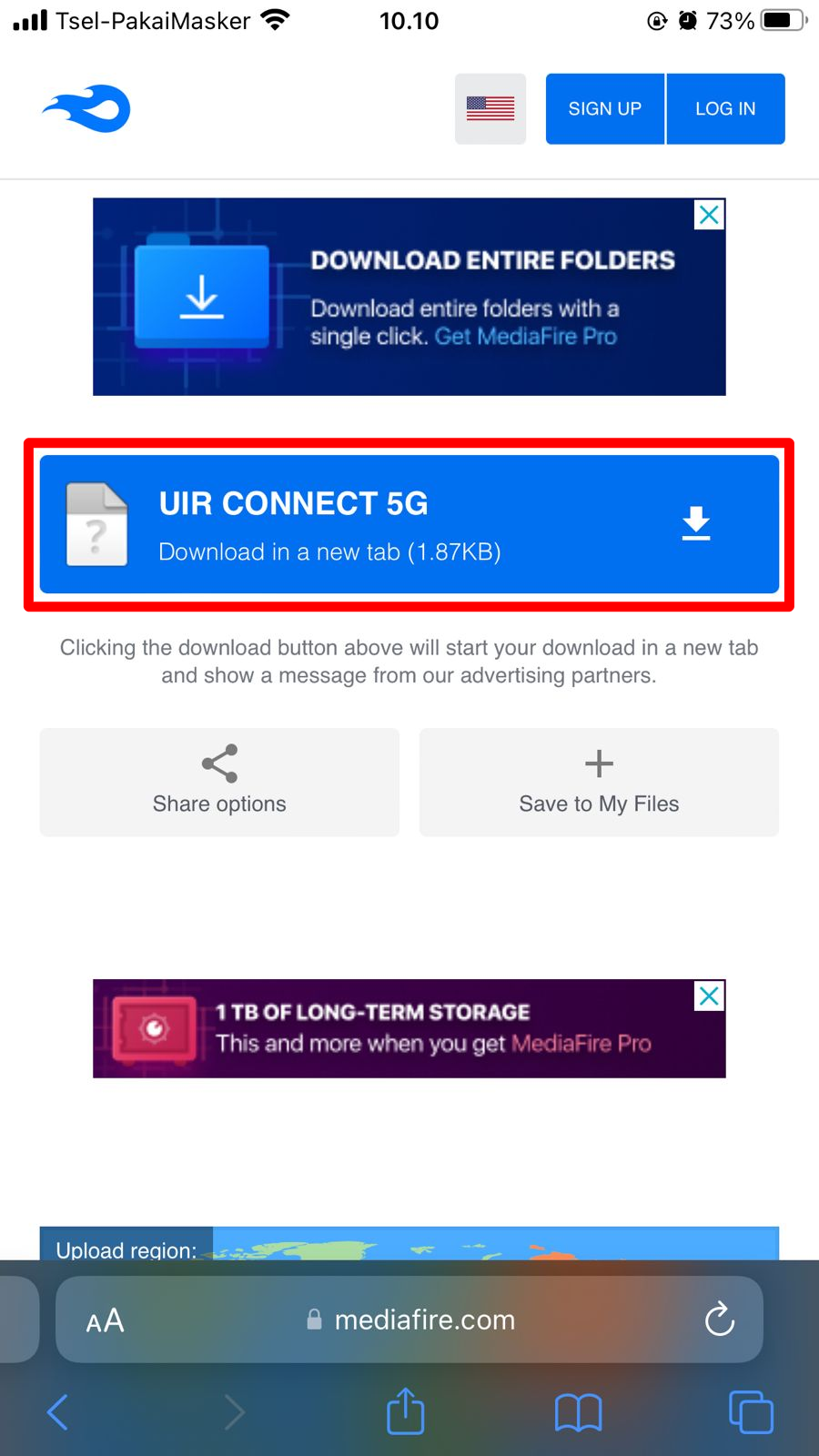
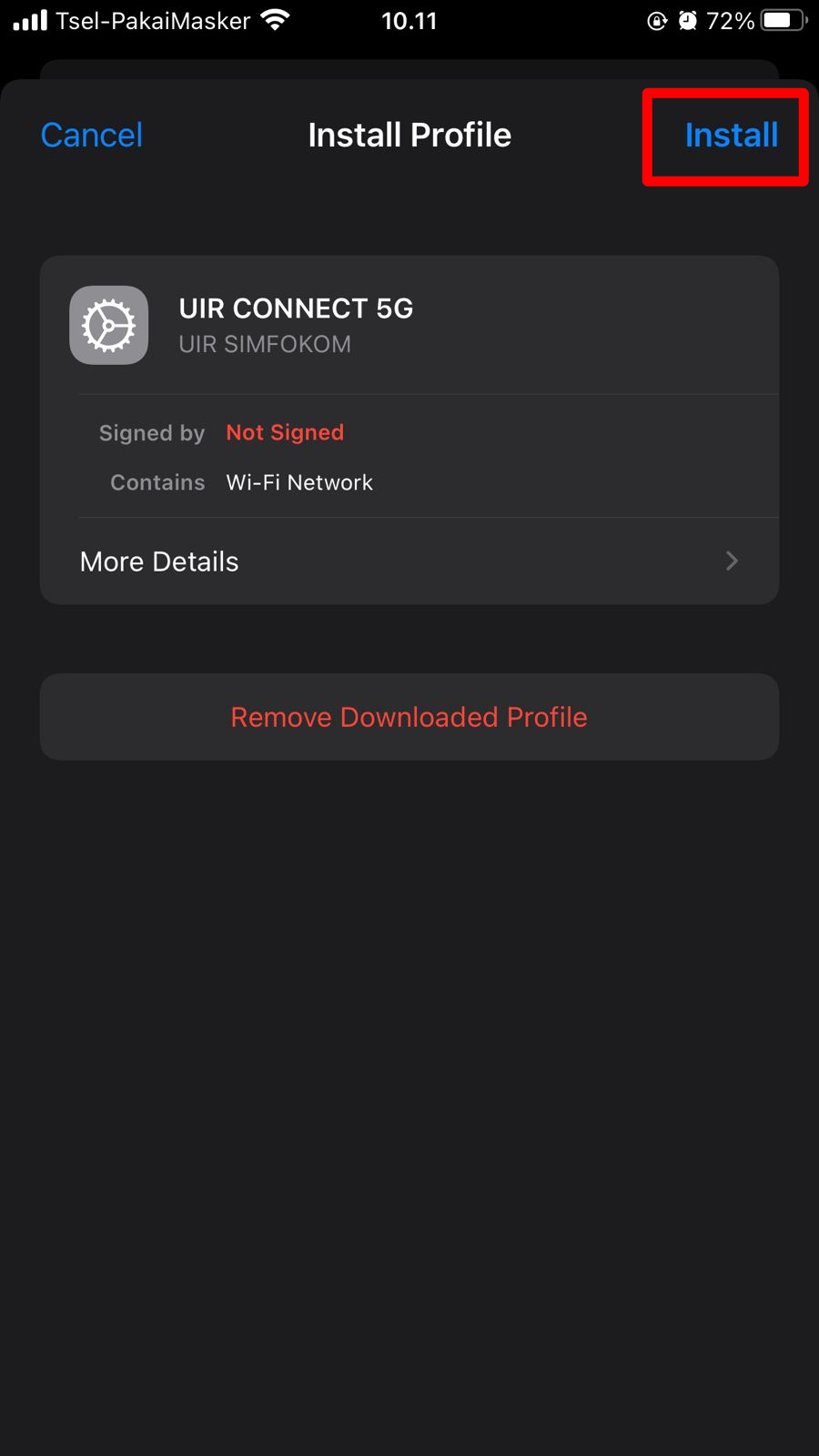
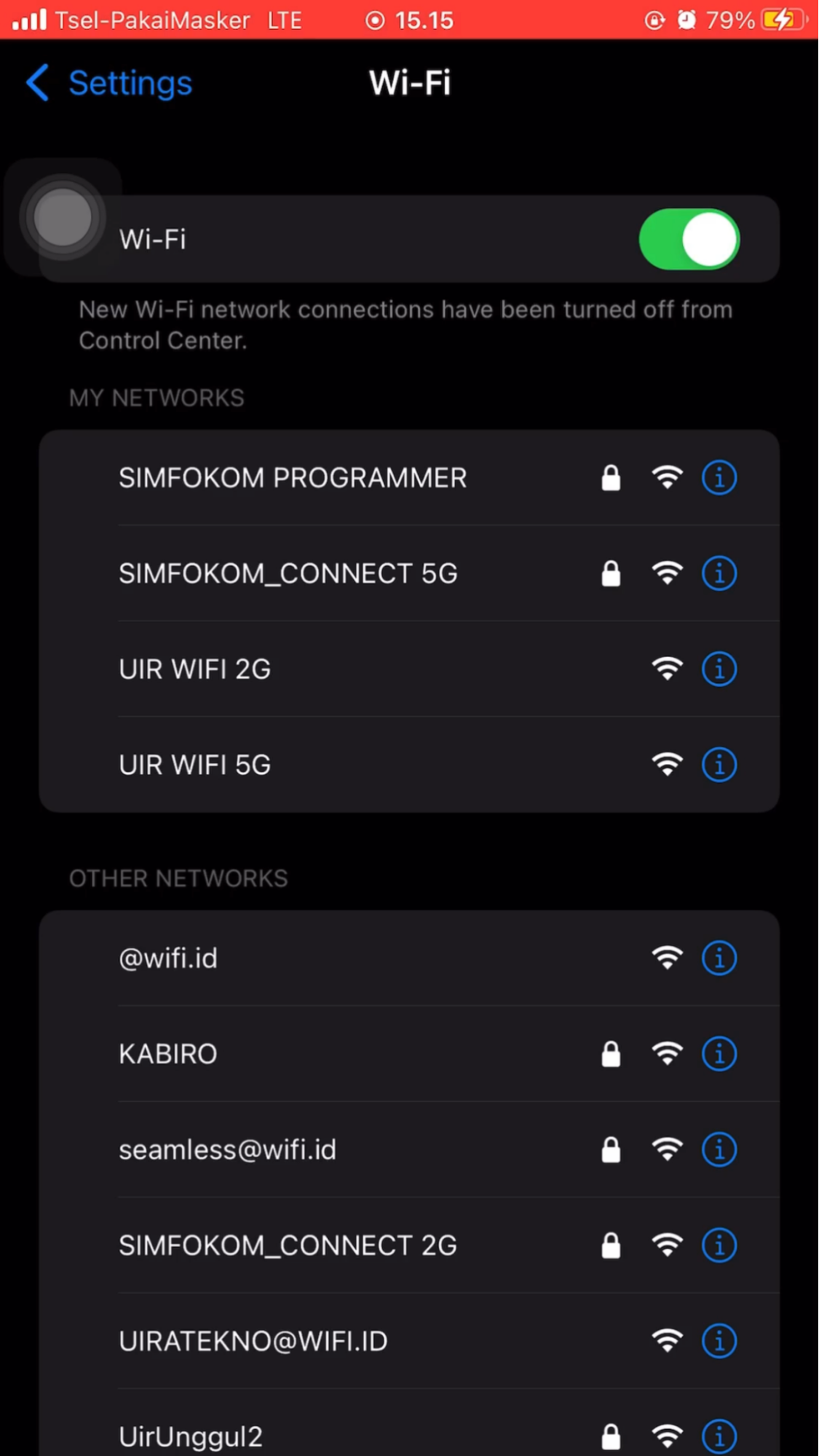
Untuk IOS agar dapat terhubung ke WiFi silahkan ikuti panduan berikut ini. Pada panduan ini wifi yang digunakan sebagai contoh adalah SIMFOKOM_CONNECT_5G. Agar dapat menggunakan WiFi dilingkungan UIR silahkan Gunakan UIR CONNECT 5G atau UIR CONNECT 2G. Pada IOS, terdapat file tambahan yang harus di download terlebih dahulu.

Silahkan ikuti dan download file nya terlebih dahulu sesuai panduan berikut ini:

IOS

How to Setup Wi-Fi for IOS

To use a Wi-Fi service in a UIR environment, you must have an UIR email.

Examples of UIR emails:
[email protected], or
[email protected], or
[email protected]
If you have any problems with emails, please contact IT Support.

The Wi-Fi SSID in the UIR environment is called UIR CONNECT 5G or UIR Connect 2G. On IOS, there are additional files that need to be downloaded first.

Please follow the following guidelines:
1. Open the SAFARI web browser. Then download the mobile CONNECT 5G UIR file

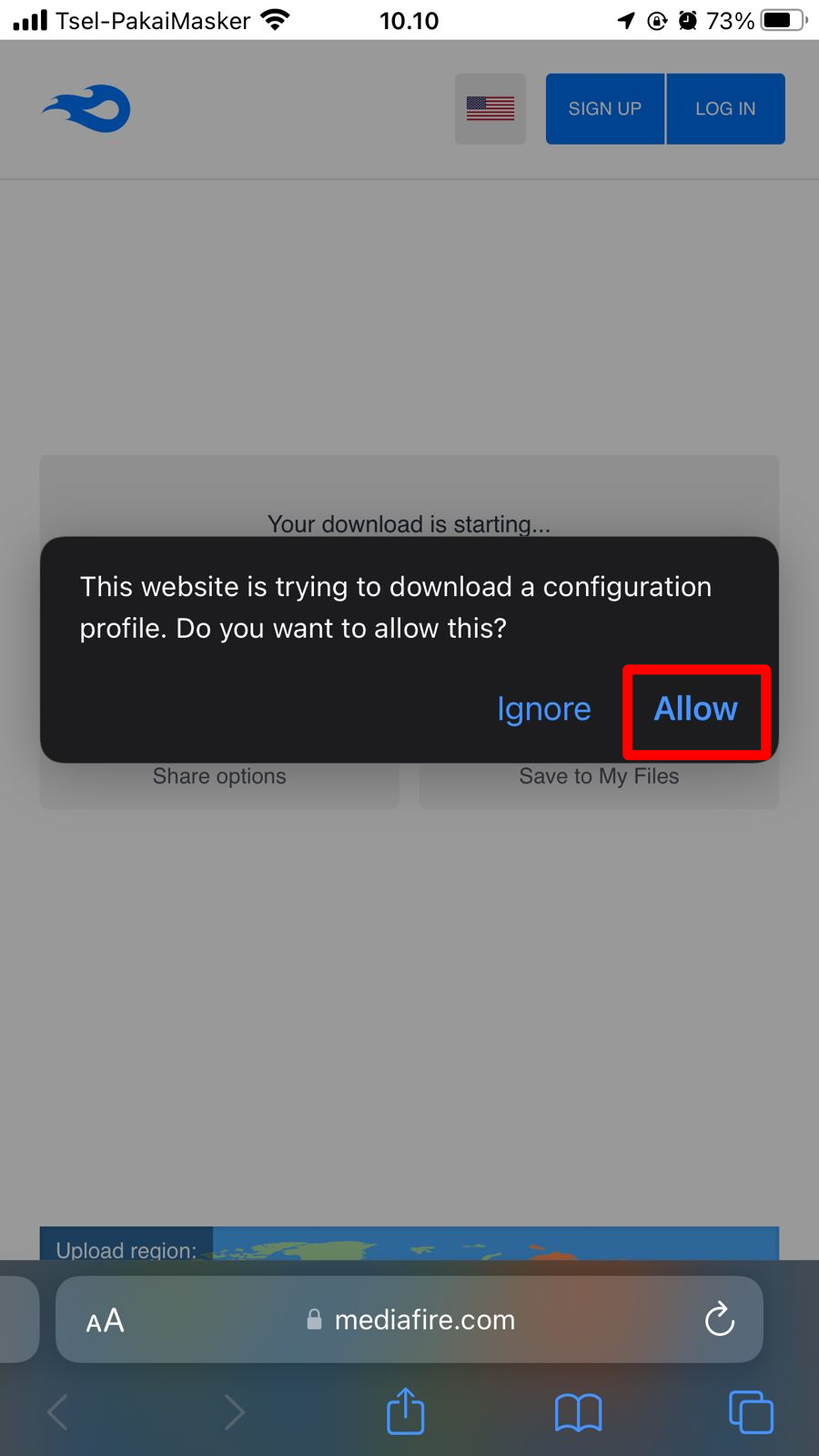
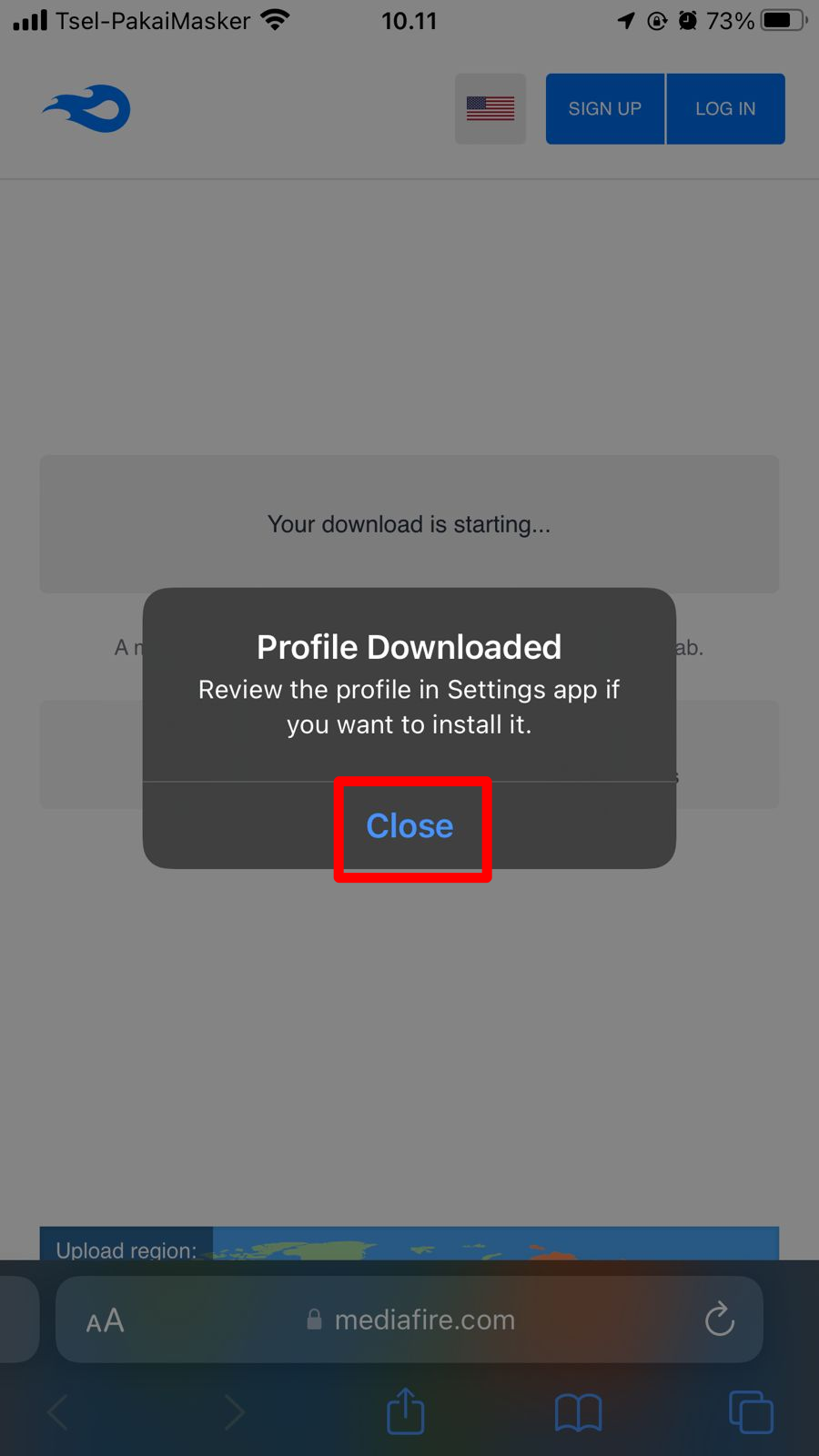
2. Download, tap Allow, tap Close on notification Profile Downloaded

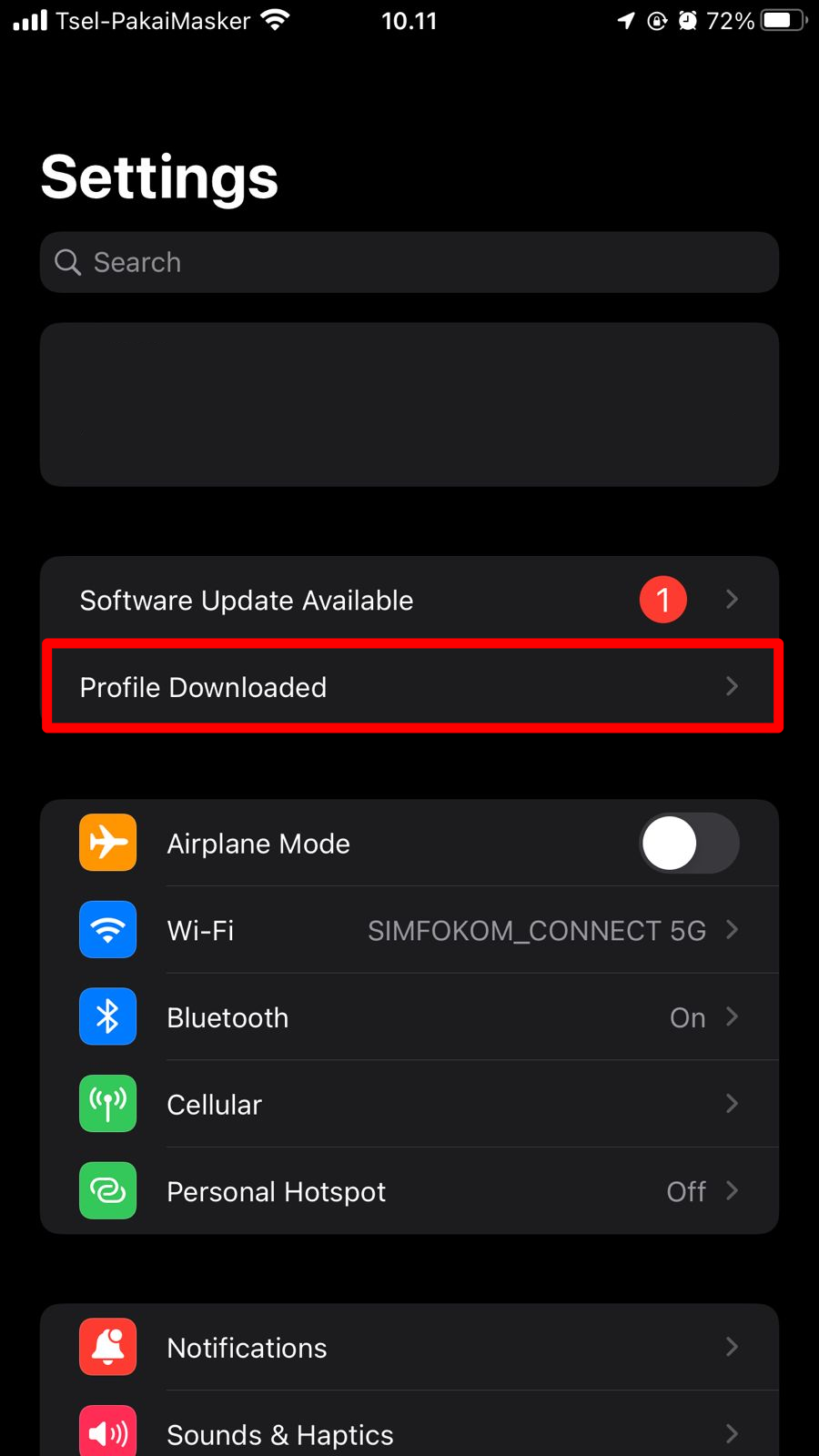
3. Open iOS Settings, Tap Profile Downloaded, Tap Install

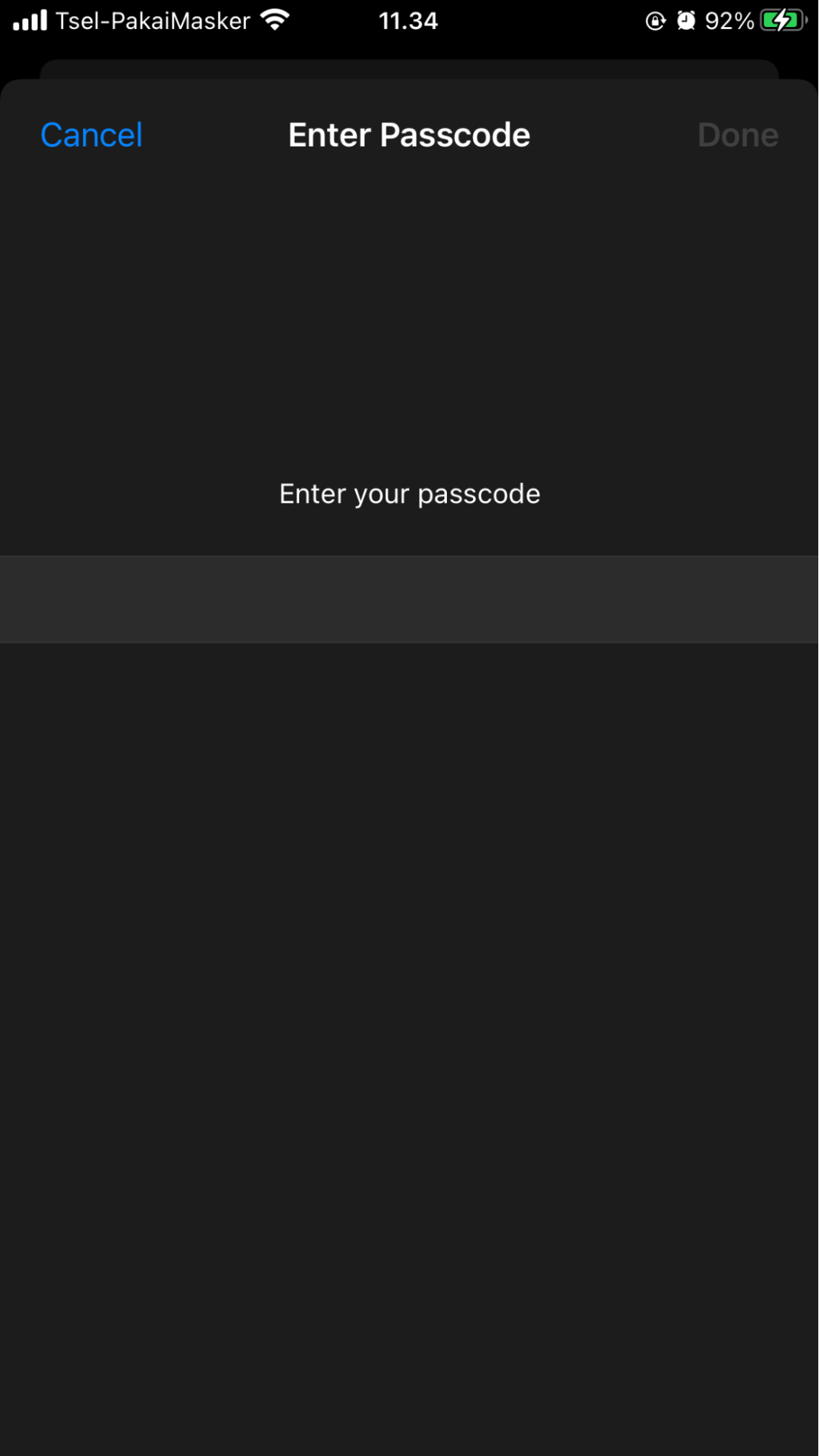
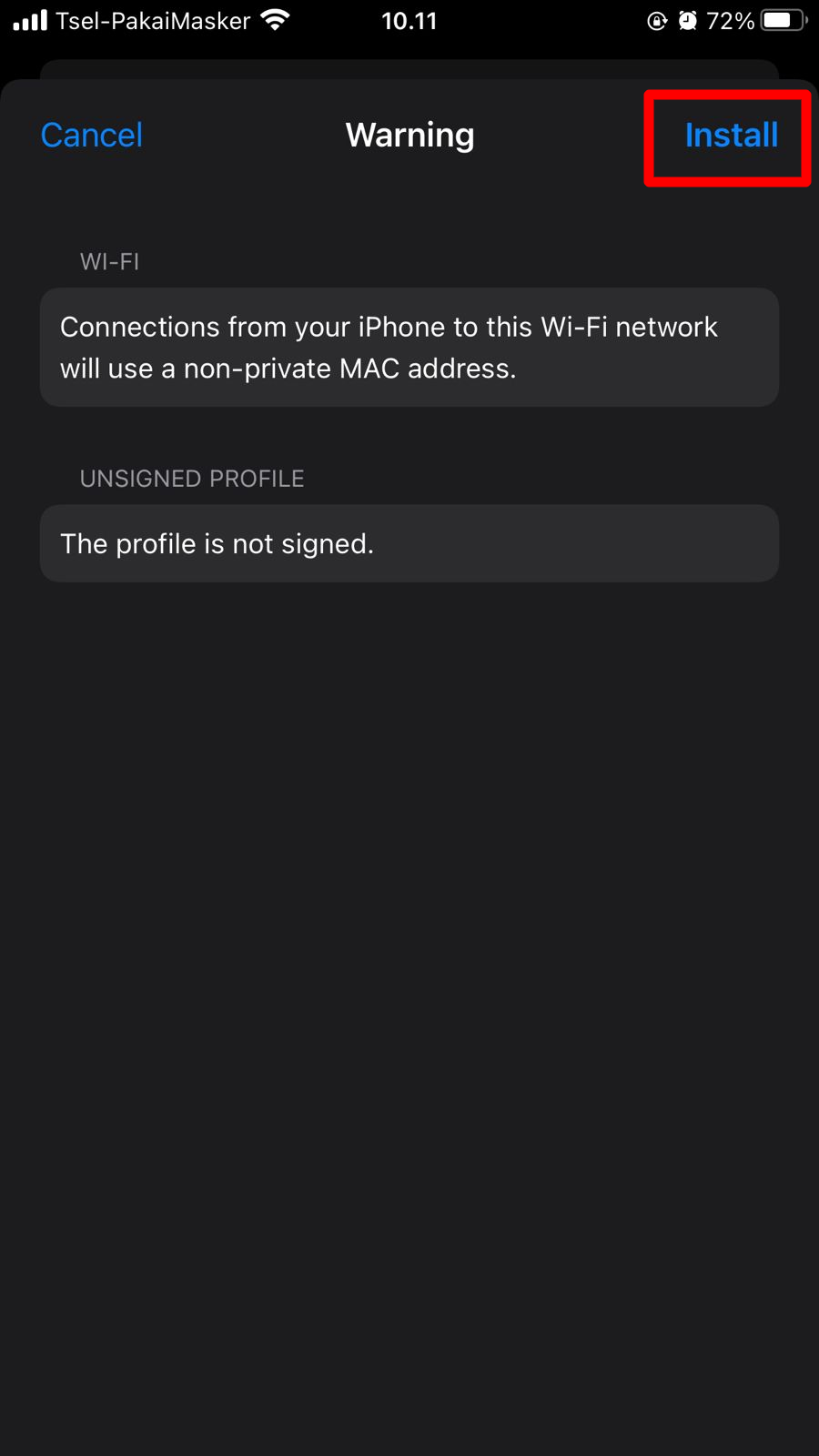
4. Enter the PIN or passcode for iOS, then tap Install

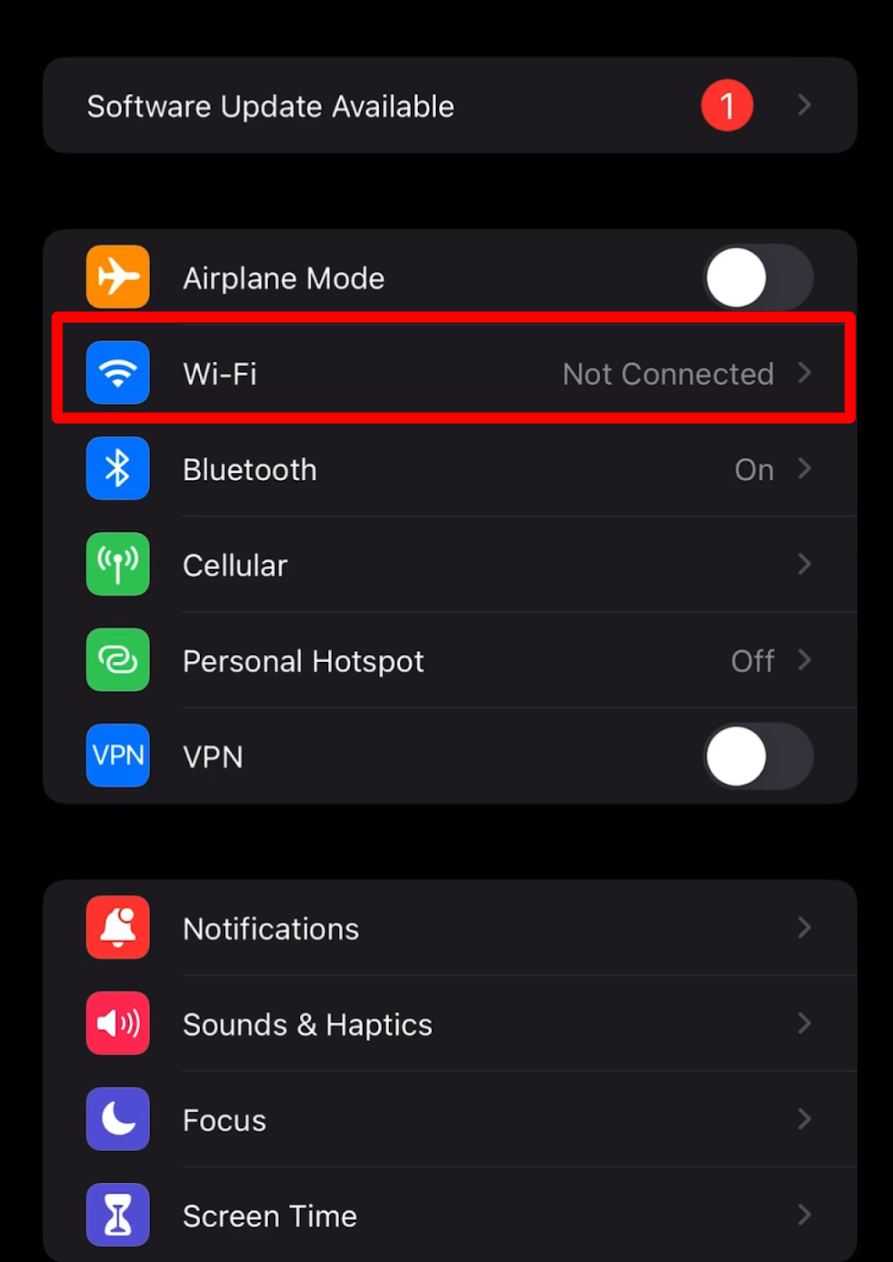
5. Connect wi-fi to UIR CONNECT 5G or UIR Connect 2G

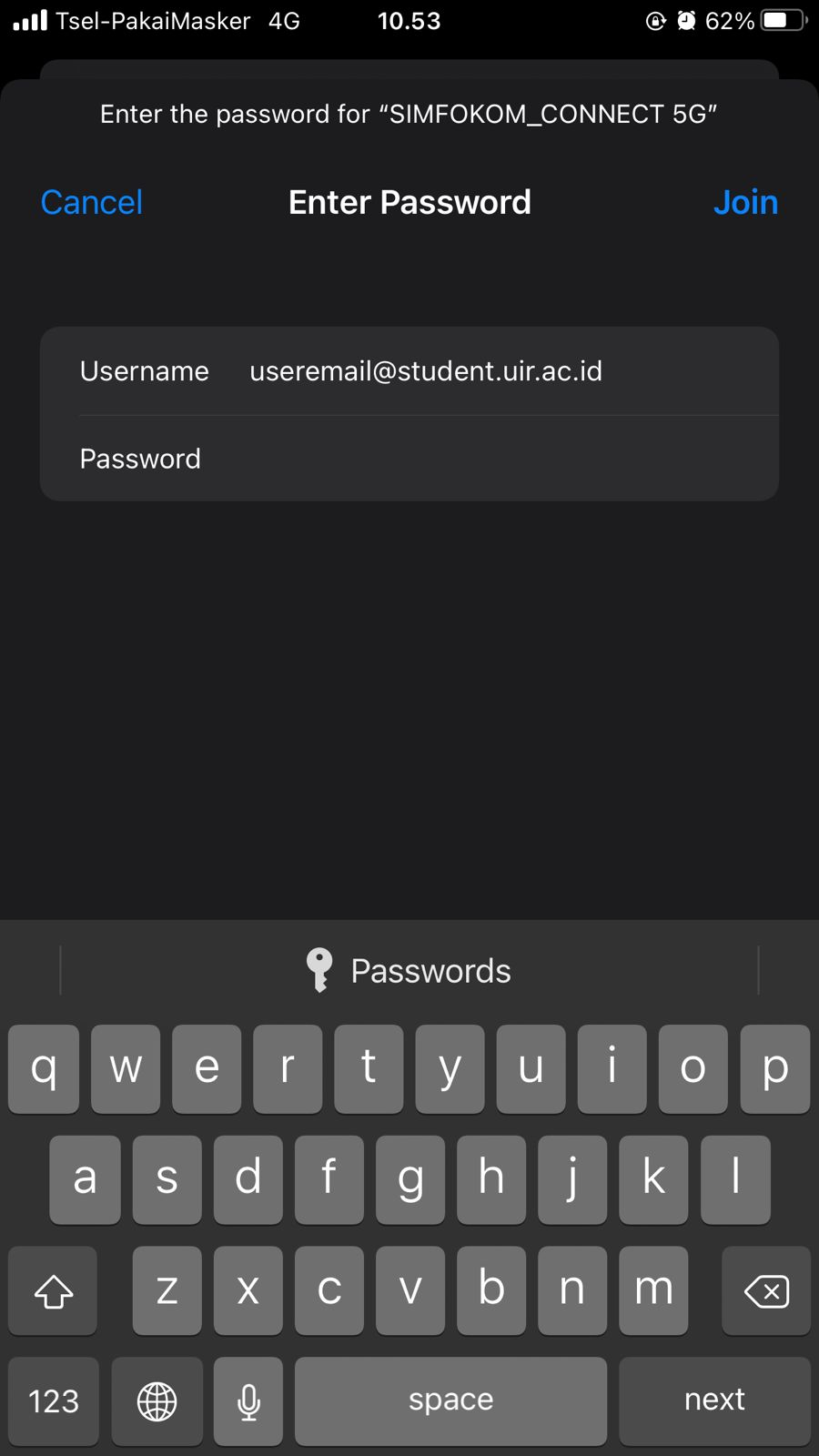
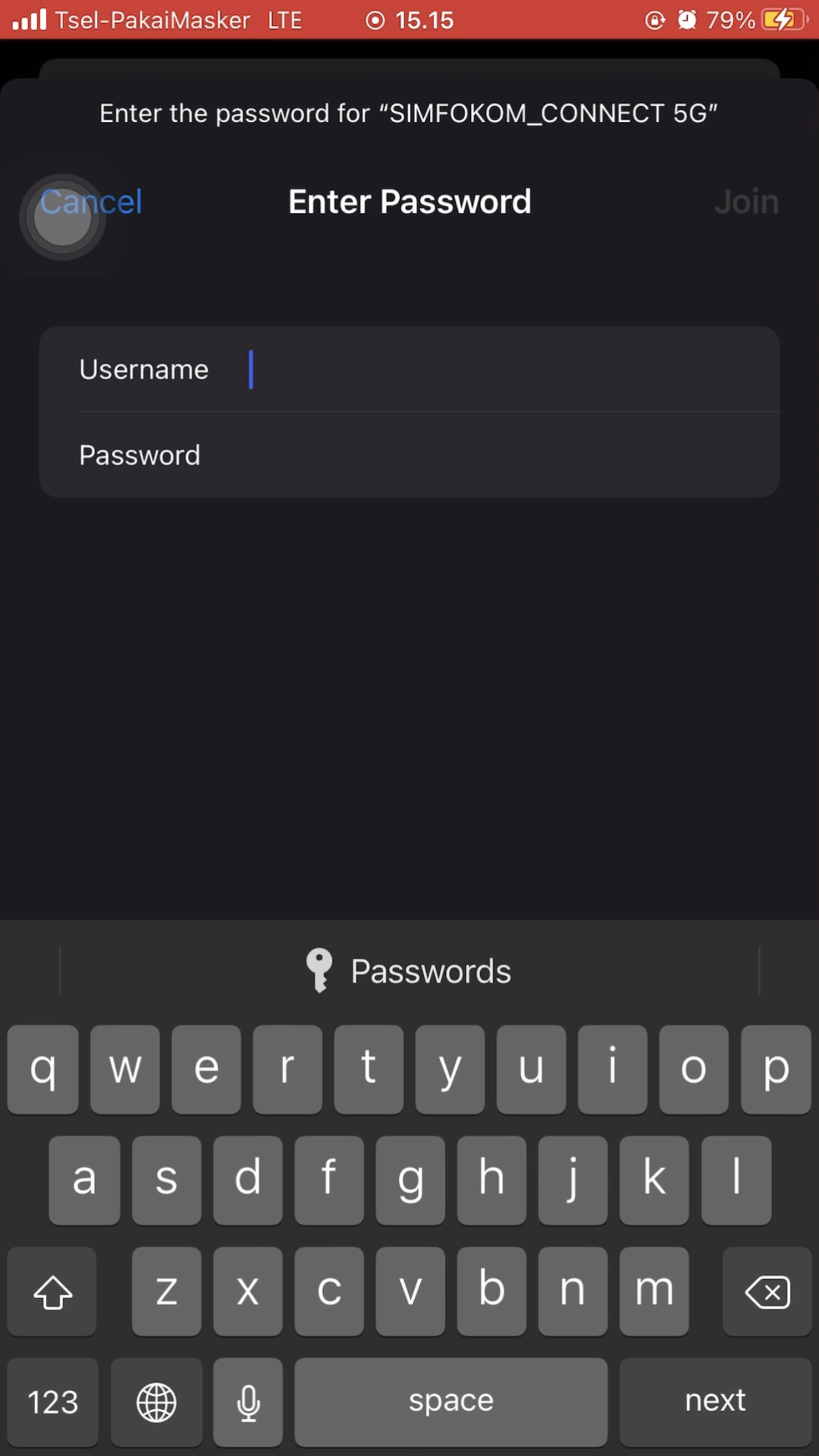
6. Enter username with UIR email and password, then click Join.

7. Masukkan EMAIL UIR dan PASSWORD EMAIL. Kemudian klik Join. Contoh Email UIR : [email protected] atau [email protected] atau [email protected]

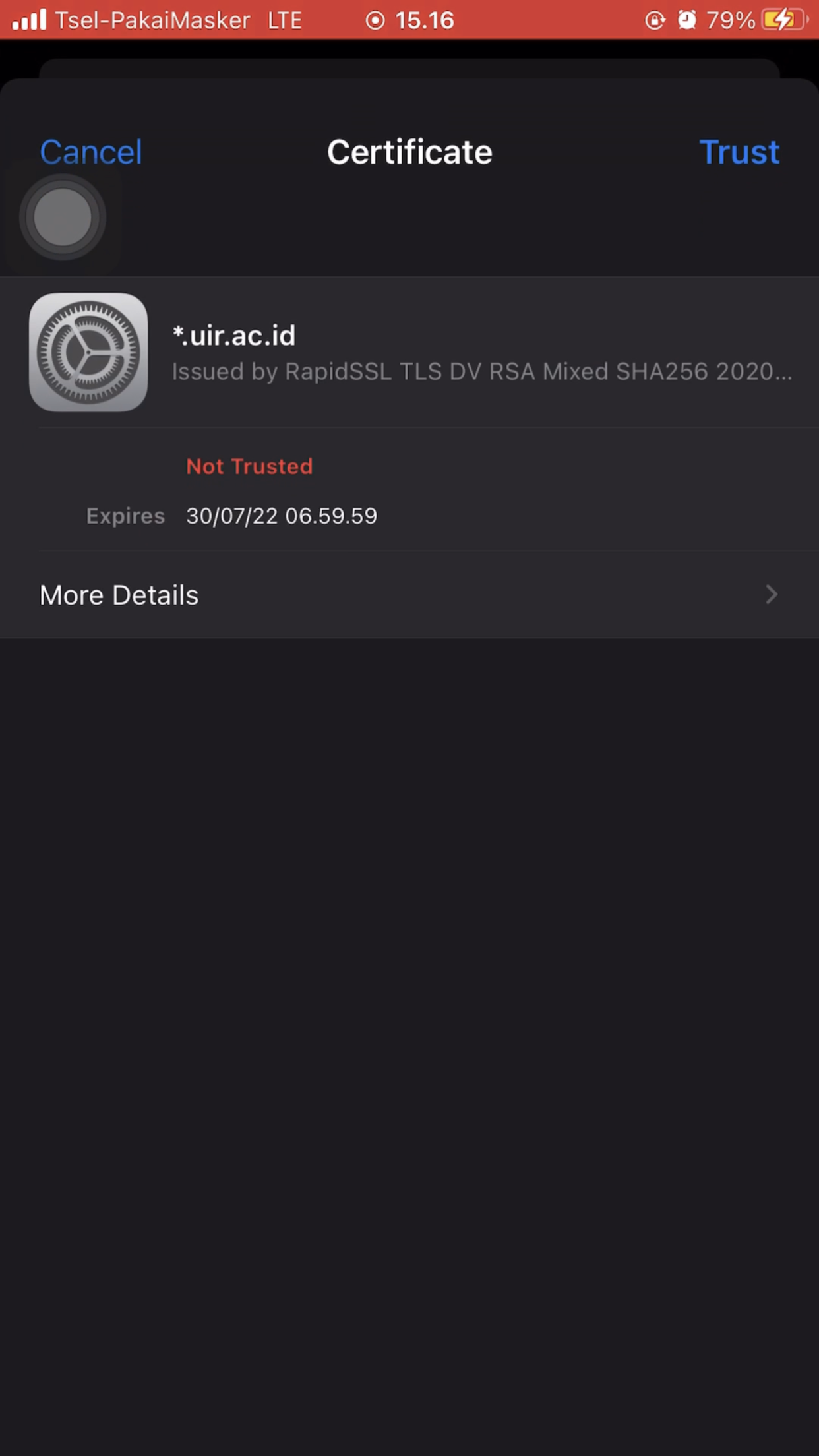
8. Langkah terakhir silahkan klik Trust maka akan terhubung ke WiFi UIR.

Panduan Menghubungkan Wifi 5G UIR